
TrustPointAI Mobile
One app. Every draw. Verified.
TrustPointAI Mobile — a native iOS and Android app that helps borrowers manage their draw workflow directly from the job site — in compliance with lender requirements, with verified proof of work.
Faster approvals for borrowers. Funding with confidence for lenders.


See TrustPointAI Mobile in action
4 Easy Steps to Submit a Draw Request
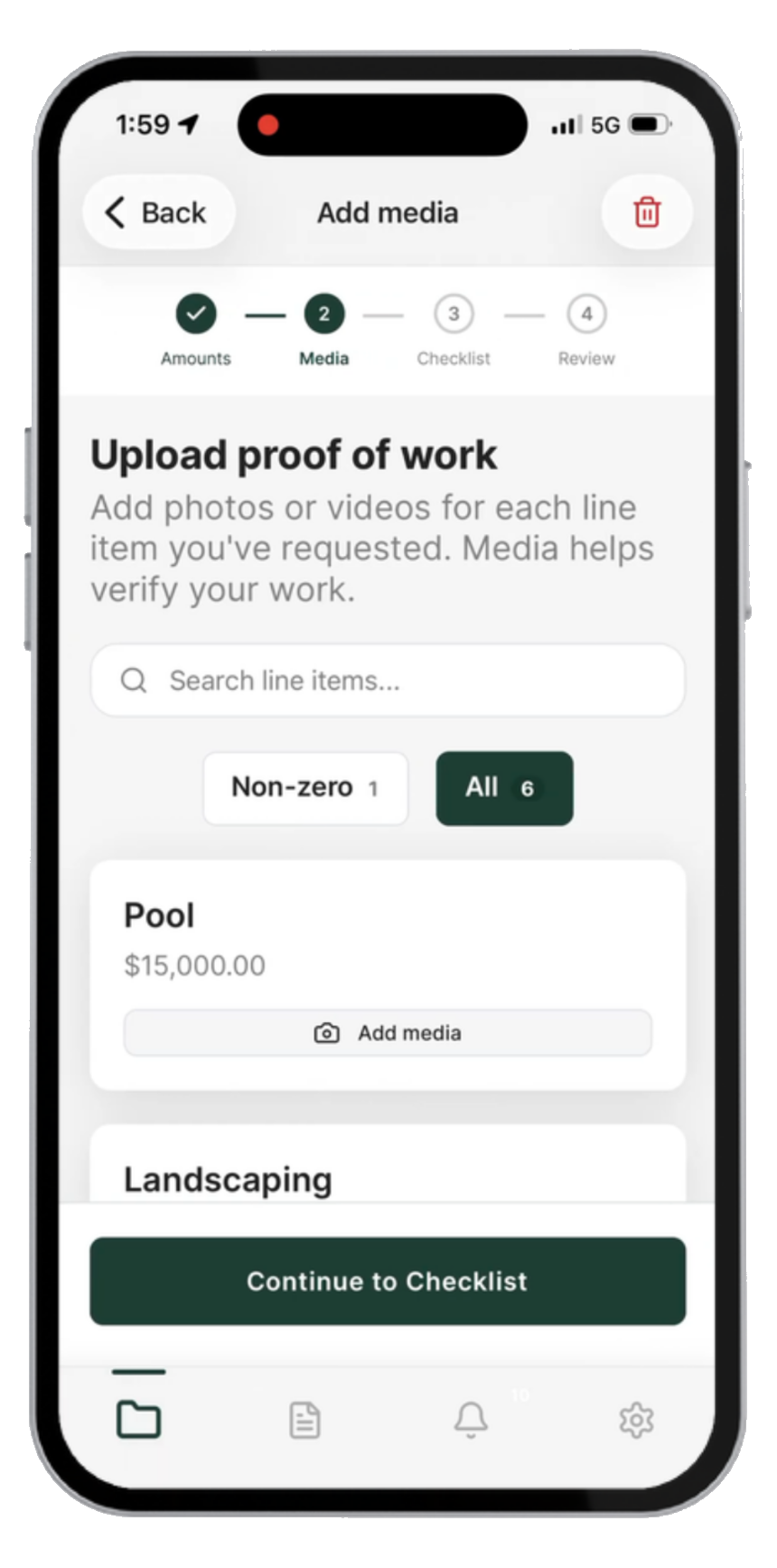
Media requirements are set by the lender — required, optional, or off entirely.
- Start your Draw Request
- Upload Media
- Complete Required Documents
- Submit
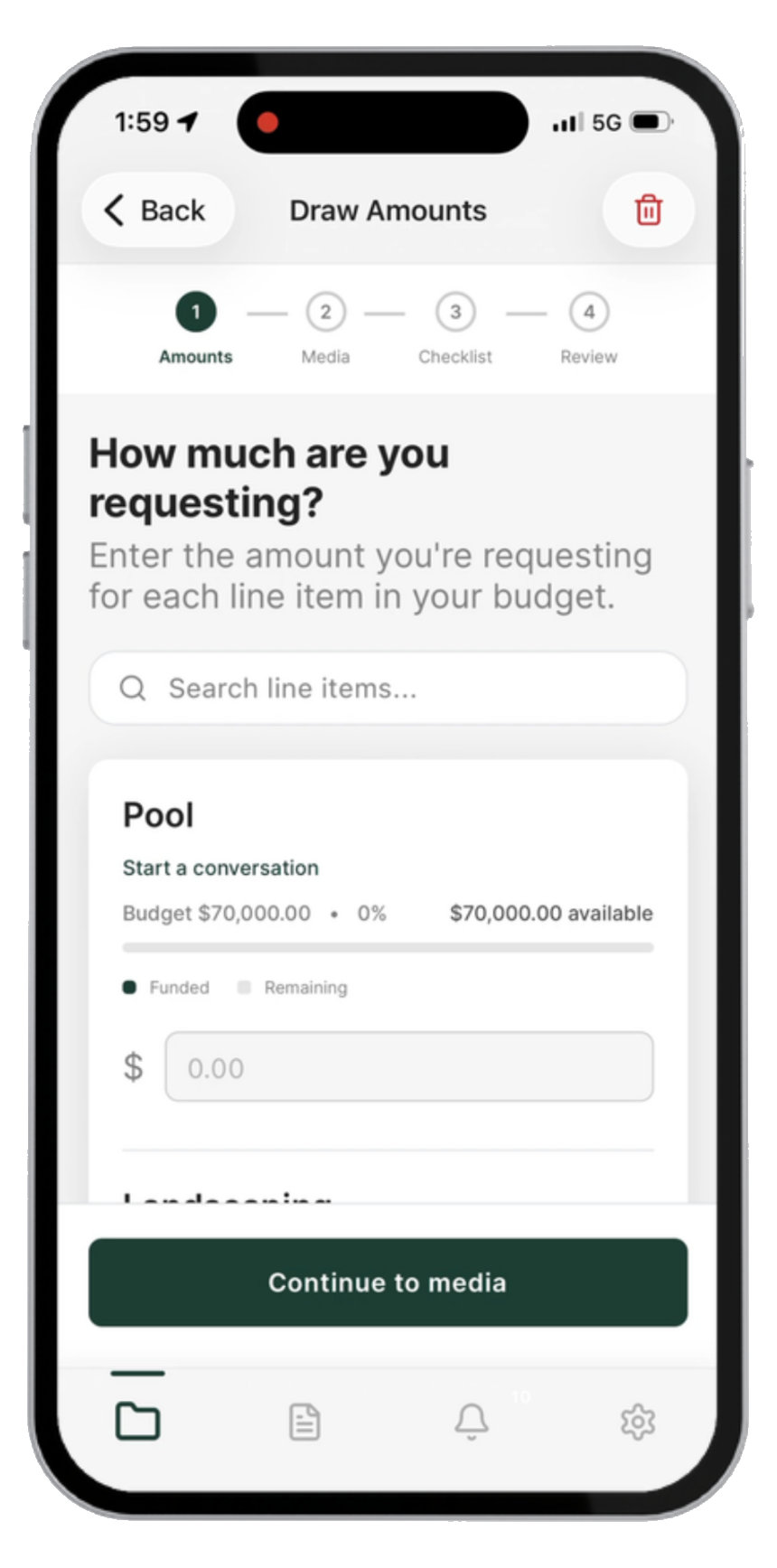
Draw Amounts
Add Media (if required)
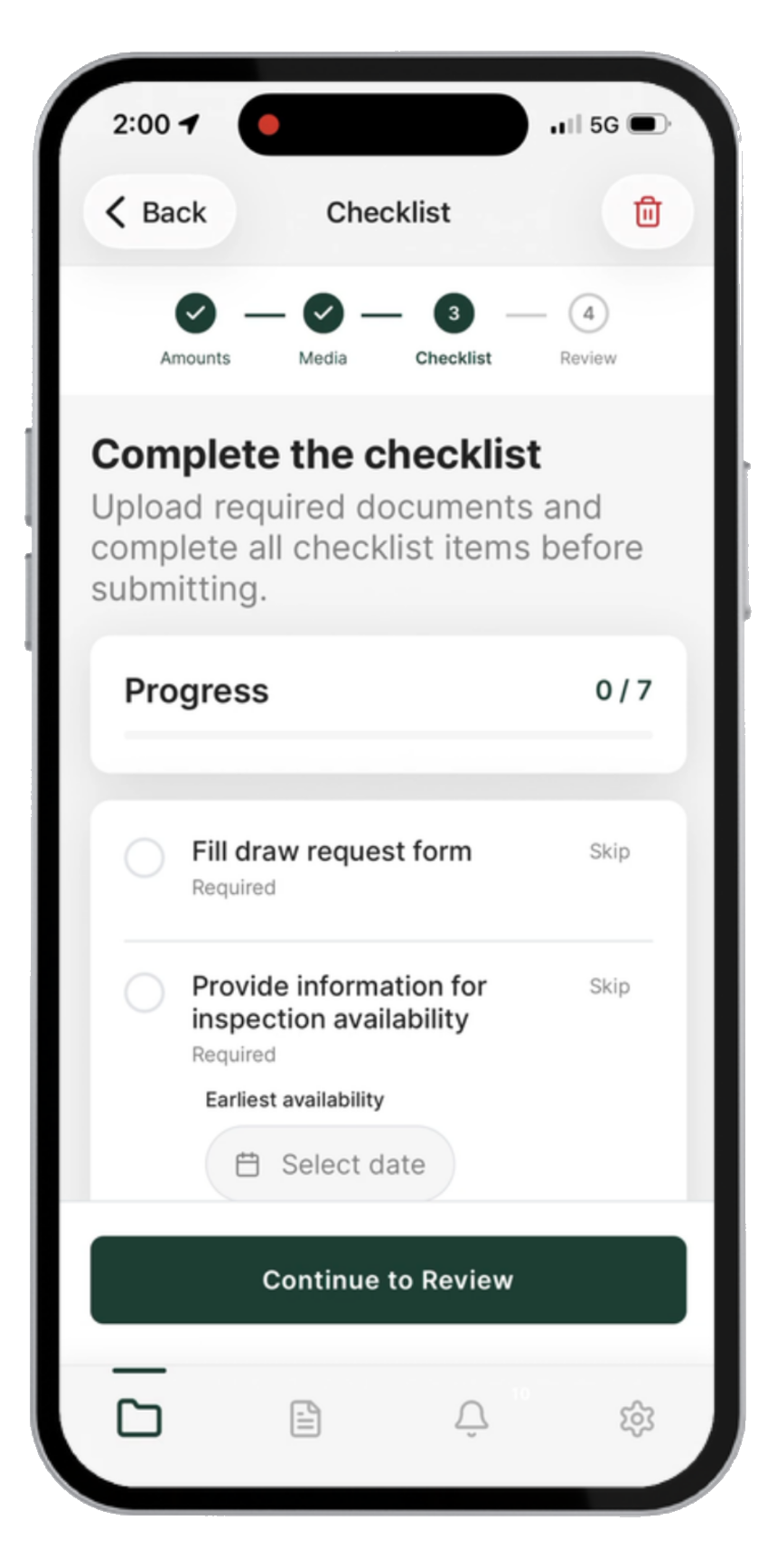
Checklist
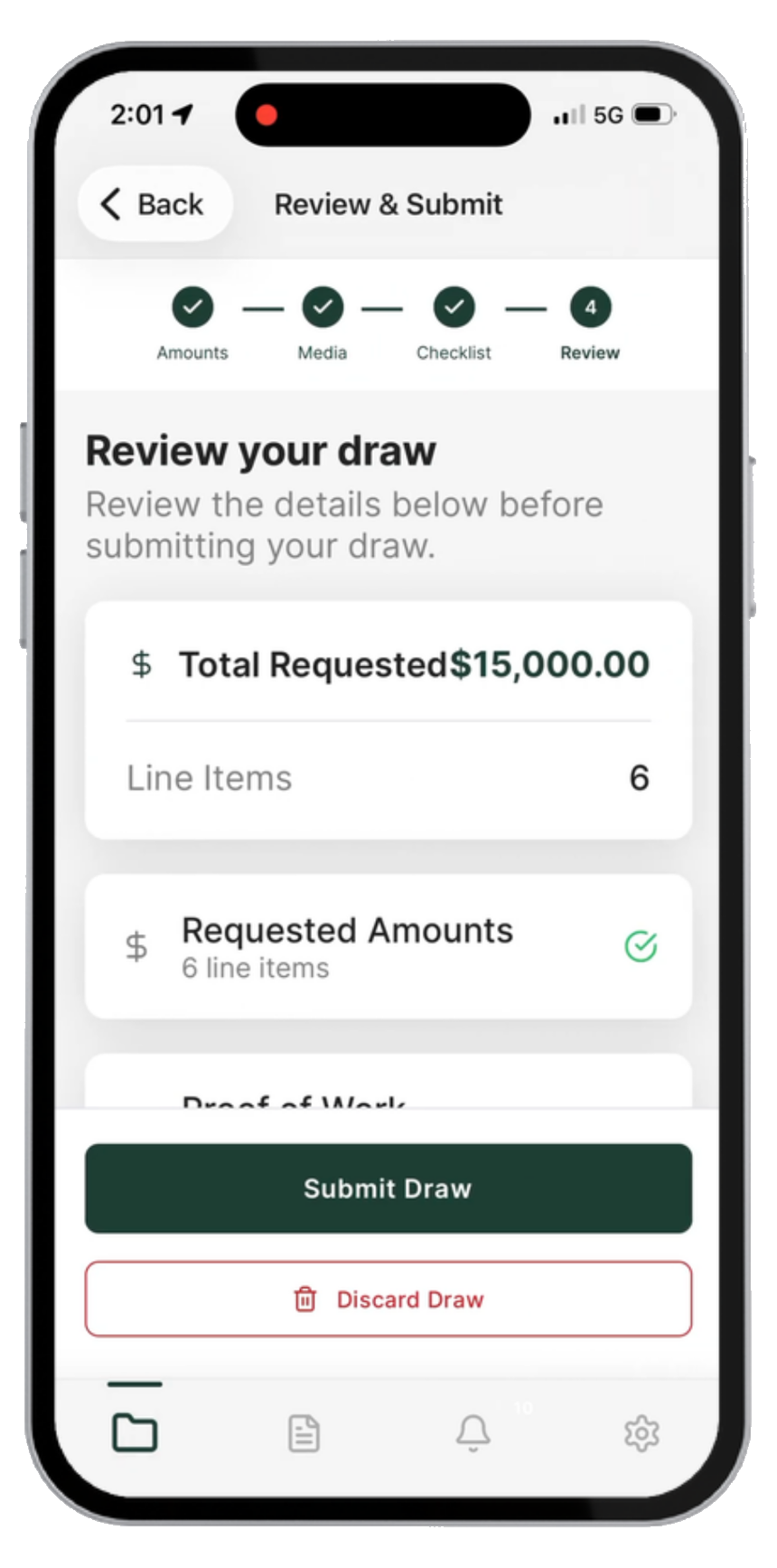
Review & Submit
For Borrowers
Intuitive Draw Workflow
Borrowers enter amounts, upload photos, complete the checklist, and submit.
No adapting a desktop process to a phone screen.
Real-Time Status & Notifications
Notified the moment more info is needed, with status visible at every stage.
No more wondering if a submission went through.
Consistent Experience, Any Device
The same draw process and requirements on mobile at the job site or at a desk on the web.
One workflow to learn, no matter where a borrower submits.
Submission Confirmation
Clear confirmation once a draw is submitted with every required document in place.
No uncertainty about whether they'll get paid.
For Lenders
You Set the Requirements
Decide what borrowers must submit — documents, photos, video, or nothing at all. Set requirements for a single project or apply them across all of them.
Your policies, enforced in the flow.
Verified Project Media Capture
When enabled, geo-tagged, timestamped photo and video proof of work is built into the draw flow itself.
Verifiable data to approve funding with confidence.
Media Tagged to the Line Item
Each capture is tagged and linked to the exact draw and budget line item it supports.
No manual filing — lenders see exactly what backs each line.
One Integrated Platform
Mobile capability lives inside the platform you already use for draws, projects, and asset management analytics.
No new vendor, no new login, no separate data to reconcile.
Use it your way
Draw requests only
Borrowers submit amounts, line items, and required documents from the field. No media requirement. The fastest way to move borrowers off email and spreadsheets.
Draw requests + verified media
Add geo-tagged, timestamped photo and video proof tied to each line item — for projects where borrowers submit visual proof of completed work.
Both modes run on the same app and the same platform. Run different requirements across different projects, and change them when you're ready.
Proof of work lenders can actually trust
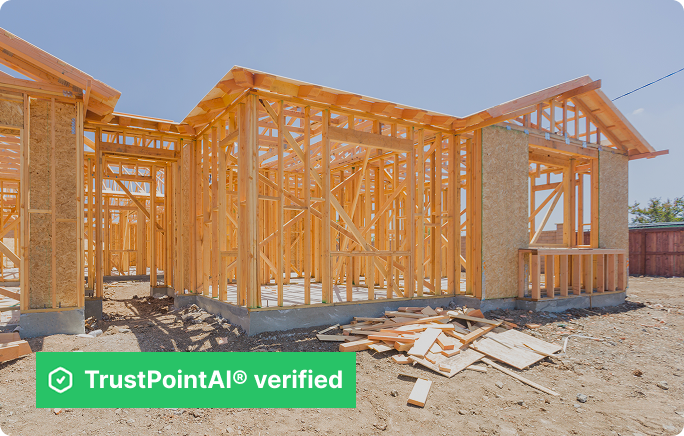
Every photo is captured live through TrustPointAI's native in-app camera — with real-time geospatial verification, live location and geofencing check.
Each verified photo is then independently re-checked, AI-classified, and automatically tagged to the exact draw and budget line item it supports — no manual filing, no ambiguity about which draw it belongs to.
Ready to learn more about
TrustPointAI Mobile?
Our team will walk you through the draw workflow, the verified media, and the lender-side view.
Schedule a Demo